Sales: 610-278-5000 Service: 610-278-5000 Parts: 610-239-2945 | |
Blog / How-To

How Do You Connect Your Phone to a Subaru Bluetooth System?

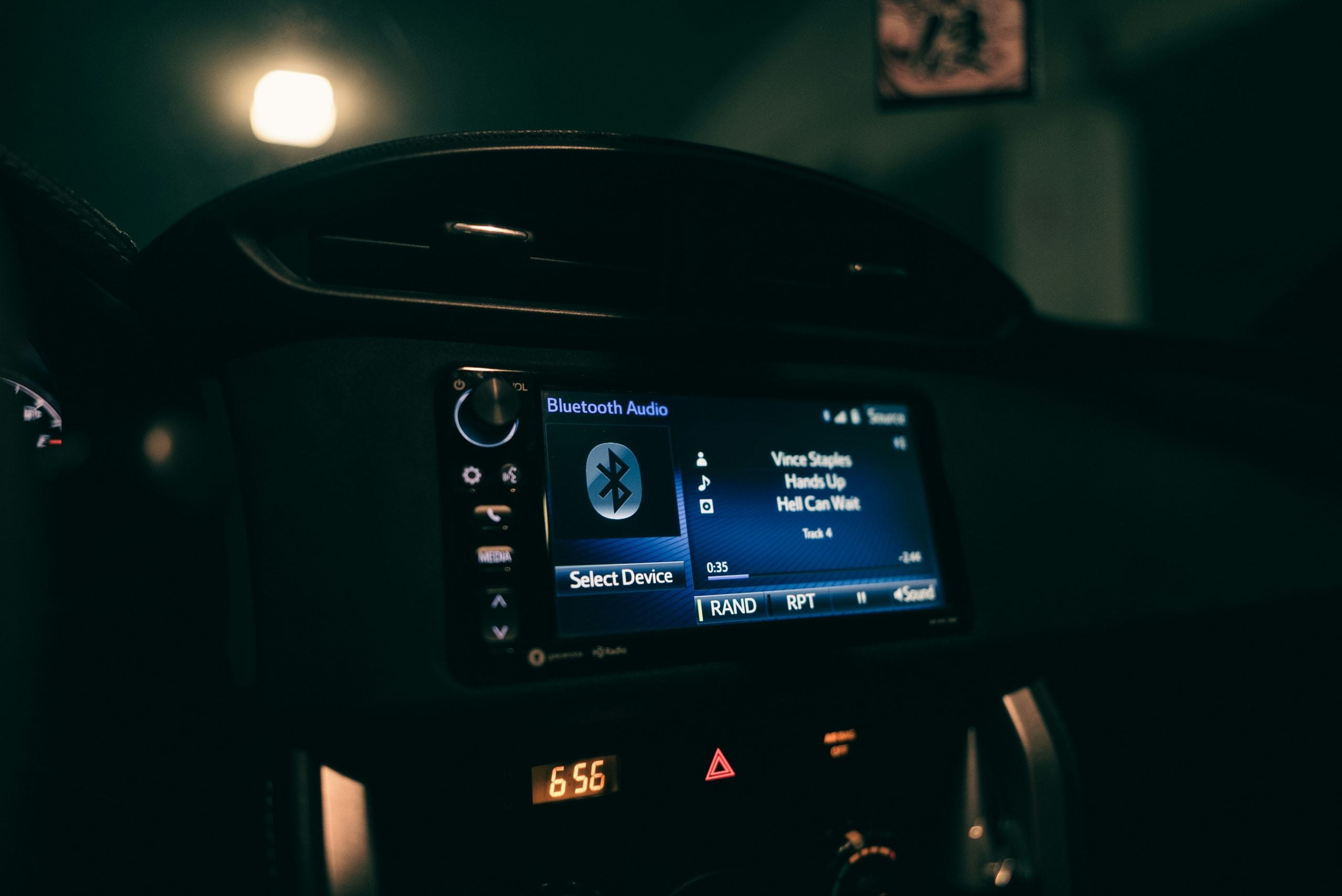
A close up of a machine in a room

Connecting your phone to your Subaru is easier than you think. Whether you're navigating Plymouth Meeting's icy roads or commuting into Philadelphia, hands-free calling and streaming your favorite music significantly enhance the experience. Modern Subaru vehicles offer impressive phone-friendly technology that supports nearly all smartphones. Our team at John Kennedy Subaru provides you with everything you need to know for an effortless Bluetooth connection.

Understanding Your Subaru's Bluetooth System

Your Subaru's Bluetooth connects through the STARLINK system that controls your car's technology features. This system facilitates hands-free calling, music streaming, text notifications, and smartphone app integration, as well as Wi-Fi hot spots and smartphone integration platforms. Every Subaru provides reliable Bluetooth connectivity that integrates seamlessly with your phone's features. Every new Subaru includes Bluetooth as a standard feature, which is compatible with most smartphones and Subaru models from 2015 and later. Wireless Apple CarPlay and Android Auto are supported in some 2023 and later models.

How To Connect Your Phone to Subaru Bluetooth

Pairing your phone is straightforward if you follow the correct procedure. Start your Subaru and make sure it's in park — the system prevents pairing while you're driving. On your dashboard screen, navigate to Home, Settings, and Bluetooth. Look for "Add Device" or "Pair New Device" and select it. Open your phone's Bluetooth settings and scan for available devices until you see a device listed, such as SUBARU BT.

Select your Subaru's name to start the pairing process. Both your phone and the car's screen will display a PIN. Verify that they match and press the "Pair" option on your smartphone. If you have a 2025 Forester, the process is as follows: Select Settings on your touch screen, navigate to Phone, then Manage Devices, and finally Add. Then connect via the Bluetooth settings on your phone. If you encounter any issues, our team at John Kennedy Subaru is well-versed in these systems and can usually help you get connected in a few minutes.

Setting Up Your Phone Features After Pairing

After Subaru Bluetooth pairing, you can set up all the useful features. Your Subaru will likely prompt you to sync your contacts, allowing you to make calls using voice commands or by tapping names on the screen. You can also set up favorite numbers for quick dialing and choose which notifications appear on your dashboard display.

It's also worth setting up voice commands, which allow you to access Siri or Google Assistant without taking your hands off the steering wheel. If multiple family members are driving the same car, the system can remember several paired devices. If you carry both a work and personal phone, you'll want to designate which one connects automatically when you start the car. This feature is referred to as device priority, and it prevents confusion when both phones are in range.

Making Calls Through Subaru Bluetooth

Your Subaru provides several ways to make hands-free calls. Press the voice button on your steering wheel and say "call" followed by the person's name. If you prefer not to use voice commands, the touch screen displays your contacts, recent calls, and favorites with buttons that are easy to tap while parked. Most people find the steering wheel controls most convenient since you can answer, hang up, or mute calls without taking your eyes off the road.

Call quality is impressive thanks to microphones located throughout the cabin that capture your voice clearly. Even older Subaru models work well with newer smartphones. Users have successfully synced iPhone 12 phonebooks to the hands-free system in the 2013 Subaru Outback 2.5 Limited model, although compatibility may depend on software differences. If you need to take a private call, you can transfer it back to your phone with the press of a button. Conference calls work well through the car system by using your phone's conference features and directing audio through the car's speakers.

Streaming Audio Via Bluetooth

Playing music through Bluetooth allows you to access your entire music collection while driving. You can use the touch screen or steering wheel buttons to switch to Bluetooth audio. Cycle through the audio sources until you find Bluetooth Audio or Phone Audio. You can manage playback from your car's controls or phone. Steering wheel buttons allow you to play, pause, skip tracks, and adjust the volume.

Although the audio quality is adequate for most listeners, it may not match the quality of wired connections for audiophiles. The Ascent's premium Harman Kardon QuantumLogic system, featuring 14 speakers, delivers fantastic sound for streamed content. The 2024 Subaru Crosstrek does not support high-quality Bluetooth codecs and lacks audio over USB options for Android devices, leading some users to consider hardwired digital-to-audio converter solutions. Most music streaming apps and podcast players work well through Bluetooth.

Subaru Bluetooth Troubleshooting

Even reliable technology can occasionally malfunction. Common issues include pairing failures, random disconnections, poor audio quality, and phones that fail to reconnect automatically. Begin with the simplest solution. Delete the pairing from both your phone and the car's memory, then restart the process. This clears corrupted connection data that may be causing issues.

Software updates are available for Subaru vehicles equipped with Harman Gen 3.1 Audio and Navigation systems to optimize performance and functionality. Most systems remember five to 10 devices. If your car's Bluetooth memory is full, remove old pairings to make room for new ones. Keep your phone's operating system up to date, as outdated software can cause compatibility issues with older phones. Android Auto troubleshooting involves using high-quality USB cables, updating phone software, and restarting both your phone and vehicle if problems persist. When DIY fixes don't work, our trained technicians can run diagnostic tests to solve connectivity problems.

Experience Seamless Bluetooth Connectivity in Plymouth Meeting, Pennsylvania

Properly setting up your Subaru's Bluetooth enhances every outing. Whether you're navigating Plymouth Meeting's winter conditions or exploring Pennsylvania's scenic routes, hands-free calling and access to your favorite music make the journey more enjoyable. The Subaru STARLINK systems work with practically any smartphone, keeping you connected to family and work without compromising your safety on the road. If you need help troubleshooting your current system, visit John Kennedy Subaru for help. With 2025 models offering wireless connections and premium audio systems, it's the perfect time to discover how Subaru's technology can transform your daily commute.
Posted in:

Related Posts

car-3258543_1280

How to Program a Subaru Key Fob: Step-by-Step Guide to Fixing It Yourself

Has your Subaru key fob stopped working? Before you panic or call a tow truck, there's good news: you might be able to fix this yourself. Whether you need a quick DIY fix for an older model or professional help for a newer system, this guide breaks down everything you need to know about how to program a Subaru key fob. more Schedule Service Subaru Key Fob Programming Requirements Not all Subaru key fobs are the same. Your programming approach depends entirely on the type of fob and the age of your car. You should be able to handle an older teardrop-shaped fob yourself, but if you've got a newer rectangular proximity key, you'll likely need professional help. Before you start, gather your materials and check if your car has DIY programming functionality. You'll need the eight-digit serial number on your key fob's circuit board. Programming involves turning your ignition key and pressing specific buttons in the right order. Some Subaru models won't let you program keys yourself. Cars from 2015 onward typically use advanced proximity systems with specialized diagnostic tools. If you're not sure whether your car allows DIY programming, contact us at John Kennedy Subaru Plymouth for guidance specific to your model. Step-By-Step Subaru Key Fob Programming Guide If you're ready to try programming yourself, sit in your driver's seat and close all the doors and windows. Put your key in the ignition and turn it without starting the engine. Cycle your key on and off three times; each cycle starts with 'on' and ends with 'off.' Listen for a lock sound after the third cycle, and if there's no sound, do it again. If you've heard the lock sound, you've got exactly five seconds to press the lock button on your key fob. If you're programming multiple fobs, you can do up to three at once, but you need to press each additional fob's lock button within 10 seconds of the original lock sound. Your Subaru can handle up to four key fobs in total, but if you go over that number, you may need to reprogram the existing ones. The whole process usually takes less than an hour. Older cars are quicker to program since their systems are simpler. Don't stress if it doesn't work the first time; if you're still having trouble after a few tries, it may be time to schedule service with technicians who have the right tools for trickier programming jobs. Newer cars and luxury vehicles typically need advanced rolling-code encryptions that require professional equipment. Troubleshooting Common Programming Issues Don't worry if your programming failed and your fob isn't syncing. Try going through the steps again, or reset your car's system to clear any interference. Radio towers, cell phones, and other electronic gadgets can disturb the programming sequence. If you keep experiencing problems, try moving somewhere else. Battery issues can cause programming issues, too. Most key fob batteries last four years or more, but usage and weather can affect their life span. If your fob has a dead battery, replace it before reprogramming. Low batteries in either your new fob or your working one can hinder the process, so always test your current key fob's battery before attempting to program your new one. Key fobs break down over time from wear and tear, dead batteries, and sync failures. Handle the programming process carefully, as messing up the sequence can disable your original key. If you've tried the process multiple times without success, the problem could be your key fob or your car's programming system. This means you'll need professional diagnostic equipment to figure it out. Subaru Key Fob Battery Replacement Guide Replacing your key fob battery is usually easier than programming, and it generally fixes most issues with responsiveness. The first step is to figure out which battery type you need. Newer rectangle-shaped fobs need a CR2032 battery, older teardrop-style fobs use a CR2025, and keys with exposed metal need a CR1620. Grab a slotted screwdriver to carefully pry open your key fob. Remove the old battery, paying attention to which way it's facing, and put the new one in the same position. Experts recommend replacing batteries at least once every three years. Avoid extreme temperatures, use a protective case, keep your key fob clean, and handle it gently. These simple habits will help you avoid Subaru key fob replacement or repair. Preventing Future Key Fob Issues DIY programming works well for older Subaru models, but newer cars with proximity keys need specialized tools and professional expertise. Dealership-level diagnostics and programming include immobilizer resets, key coding, and security system programming, with professional tools that support the entire Subaru lineup. Authorized Subaru dealerships have original equipment manufacturer parts and factory-certified technicians who can fix key fobs according to factory specifications. They can handle Subaru key programming instructions for new fobs, reprogram existing ones, and carry out Subaru key fob repair with specialized equipment and software. Get Expert Key Fob Service at John Kennedy Subaru Plymouth Proper maintenance will extend your key fob's life span. Keep your Subaru key fob clean, avoid water exposure, and handle it carefully to prevent damage to the casing or internal electronics. If you live in Plymouth Meeting or the surrounding Pennsylvania communities, contact us at John Kennedy Subaru Plymouth to make sure your Subaru's security system continues to work perfectly. From simple battery swaps to complex proximity key programming, we can handle the key fob services you need.

Car Key Laying Inside the Car

How to Program Your Subaru’s Homelink System

Your Subaru's HomeLink system makes it easy to open and close your garage or gate without an additional remote control. In this guide, we'll tell you the step-by-step process of programming your HomeLink system. If you have any trouble, our team at John Kennedy Subaru in Plymouth Meeting, Pennsylvania, is ready to help. more Understanding Subaru's HomeLink System If your Subaru has an auto-dimming rearview mirror, then it has a built-in HomeLink universal transceiver. The HomeLink system connects up to three of your garage doors, gates, or other smart home gadgets that use radio signals. The system also runs using your car's electrical system, so you don't need any batteries. Some HomeLink systems are two-way capable, which means that the system can tell you if you left the garage open or closed. By connecting to compatible smart devices, you can also flip on your porch lights before arriving home with the press of a button. Plus, you won't have to worry about lost or stolen garage remotes anymore. Subaru HomeLink Setup: Step-By-Step Instructions Before starting, double-check that your Subaru has HomeLink buttons. If you don't see them, your car might not have this feature. Otherwise, you're ready to follow the steps below. If you'd like to see the process in action, check out Subaru's step-by-step video instructions. Everything should take about five to 10 minutes. Preparation Before Programming Park your car where you'd normally use your garage door remote. Make sure that your garage door is clear of any objects and that other people and your pets are away from the door since it will move during setup. Turn on your Subaru's ignition to power up HomeLink, and you're ready to program the system. Detailed Programming Instructions Press and release the HomeLink button you want to program, and the HomeLink indicator light should flash orange. While the orange light is flashing, hold your handheld remote 1 to 3 inches from the HomeLink button you're programming, and press and hold the button on your remote until the indicator light turns green. To check if you're properly connected, press and release the HomeLink button you programmed and watch the indicator light. If the light is solid green, then you're all set. However, if the light rapidly flashes green, you'll have to take some additional steps. First, try pressing and holding the HomeLink button for two seconds, then releasing, and repeat this process three times. You should be able to open your garage door after the final press and release. If this doesn't work, your garage door opener unit likely uses rolling code protection, and there's one more step to try. To connect to a garage door opener unit with rolling code protection, you'll need a ladder to reach the back of the unit. On the back, find and press the learn button. Within 30 seconds of pressing the learn button, press, hold for 2 seconds, and release the HomeLink button three times. If pairing is successful, your garage door should close after the third press and release. Asking another person for help makes this process much easier to manage. Troubleshooting Common Issues With HomeLink One problem might be that your garage door remote is low on battery. Try replacing the battery and programming again. Sometimes radio interference can cause problems, so try programming at a different time or location. If your HomeLink button works but only sometimes, signal strength might be the culprit. Try moving closer to the garage if this happens. Older garage door systems can sometimes be finicky. You might have to straighten or adjust the antenna wire that sticks out from your garage door opener unit to improve reception. If HomeLink still isn't working, try erasing the system's memory and reprogramming. To erase the memory, hold down the two outer HomeLink buttons for about 10 seconds. When the indicator lights begin flashing, you've successfully erased the memory, and you can try programming again. This is also useful to know if you decide to sell or return your Subaru. Erasing the memory ensures nobody else has access to your garage. Get Expert HomeLink Support From Our Team at John Kennedy Subaru If you're having trouble with HomeLink, our service center in Plymouth Meeting, Pennsylvania, can help. Our team thoroughly understands HomeLink across all models. We can also help identify subtle problems if you're trying to program multiple devices. If your car doesn't have HomeLink, we can also order and install a compatible rearview mirror for you. Book your service appointment today, or feel free to contact us with any questions.

Car Key Laying Inside the Car

How To Replace a Subaru Key Fob Battery: Step-by-Step Guide

Key fobs are handy little devices that do more than lock and unlock your car with a click — they're your first line of defense against theft and a major convenience for busy Subaru drivers. Learning how to open your Subaru key fob can save you tons of hassle when the battery dies. It also helps you avoid those emergency trips to the dealership and keeps more cash in your wallet, something every driver in Plymouth Meeting can appreciate during Pennsylvania's unpredictable weather seasons. more A Step-By-Step Guide to Opening a Subaru Key Fob Opening your Subaru key fob is simple. First, figure out which fob you have. Subaru has three main types, each requiring a different battery. Newer rectangular models use 2032 batteries while older teardrop fobs need 2025 batteries. The oldest models with exposed metal keys use CR 1620 batteries. You don't need expensive premium batteries. Standard name-brand options work perfectly at half the price. After you've determined which fob type you have and have the correct Subaru key replacement battery, grab a small flathead screwdriver, the new battery, and rubber gloves. Don't skip the gloves — the oils on your hands can damage electrical components and cause weird glitches later. To open the newer rectangular models, press the silver button on the back, release the metal key, then slide your screwdriver into that gap and twist gently until it opens. For the older teardrop fobs and models with an exposed metal key, put your screwdriver into the visible seam and twist gently. Be patient and work around the edge gradually, as the plastic gets brittle in cold Pennsylvania winters. Rushing can break the fob case, leading to an expensive replacement. Battery Replacement: Inside the Subaru Key Fob With your fob open, you'll spot the battery right away. Remove the old battery using your fingernail or a plastic tool, applying firm but gentle pressure — avoid metal implements that could damage the circuit board. Once it's out, place the new battery in, ensuring it sits snugly without wobbling. When installing the new one, pay close attention to the plus and minus markings inside the fob and on the battery. Reassembling and Testing Your Subaru Key Fob To reassemble the key fob, line up both fob halves carefully — they usually fit only one way. Make sure all buttons sit properly before closing, then press evenly until you hear a click. Many fobs have plastic tabs that must slide into matching grooves, so don't force anything if you feel resistance. Double-check alignment first. After the fob is reassembled, you can test it by standing near your Subaru and pressing the lock/unlock functions. Then, back away to check the range. You can test the panic button, too, but be mindful of others nearby. Newer Subarus with a push-button start might need a reset after battery changes. With the doors closed, press the brake while holding the fob against the start button for a few seconds. Doing this reconnects communication after a power loss. This quick step can save you an unnecessary service visit when the battery change confuses your car's security system. Troubleshooting Common Issues Still having problems after changing the battery? Check the battery orientation first — many people install it backward while swearing they did it correctly. Next, examine the contacts. Those small metal points must be clean for good current flow. If necessary, a pencil eraser can effectively remove oxidation. If your range is poor, watch for interference from electronic displays in stores. Water or drop damage is trickier to fix. Water damage shows up as greenish-blue corrosion on metal parts. For slight moisture, the rice-bowl trick overnight sometimes works. Severe damage usually requires replacement. If your battery is completely dead, you can still start your car by placing the fob against the push-button start, as the emergency chip functions without power. Programming issues happen frequently after battery changes, especially in newer models. If your Subaru doesn't recognize your fob, try this reset: sit inside your Subaru with the doors closed and quickly press the brake pedal three times while pressing the unlock button. Always check your manual for model-specific steps. When DIY fixes fail, professional help might be your only option, as some problems need specialized diagnostic equipment. If it's been a while since you last changed your Subaru's key fob battery, check for the telltale signs of a dying battery, including needing multiple button presses, reduced range, or erratic behavior from your fob. Keeping Your Subaru Key Fob in Optimal Condition An ounce of prevention beats a pound of cure with these finicky gadgets. Don't leave your fob in direct Pennsylvania sun or freezing cold — temperature extremes kill batteries fast. Be aware of where you store your key fob. You might choose to keep it in a front pocket instead of on a bulky keychain that stresses internal connections. Avoid storing it with coins or keys that might scratch or press buttons by accident. Also, watch that your fob's panic button isn't getting pressed in a crowded pocket or purse, preventing your vehicle from starting. Cleaning matters for these devices. Those little crevices collect lint and crumbs faster than you'd think. When the buttons feel harder to press, that's your cleaning cue. Use a soft toothbrush for button edges and a slightly damp cloth for the exterior — never spray cleaners directly. You should also replace the battery in a Subaru key fob every three years, even if it works fine, to prevent your fob from dying at an inconvenient time. Like regular oil changes, basic key fob upkeep saves trouble down the road. Consider a protective silicone sleeve if you're rough on your stuff. They absorb impact, and some offer waterproofing. Just check that the case doesn't block signals, as thick or metallic ones can reduce range. If your range decreases despite a new battery, try this odd trick: hold the fob under your chin when pressing buttons, and your head will amplify the signal. You'll look weird, but you'll unlock your car from twice the distance. Ensuring Your Subaru's Security and Convenience Mastering the ability to open your key fob puts you in control of your Subaru's security features, and the tricks and techniques we've covered work for most Subaru models. Sometimes, though, you'll hit a wall with more complex problems. If your fob needs reprogramming or has suffered major damage, contact our team at John Kennedy Subaru or schedule a service visit. We can also check for other required maintenance services or recalls while you're here. Remember, a working key fob isn't just a convenience; it's part of your Subaru's security system and worth keeping in tip-top shape.